The get method
Most objects in LightWin implement a versatile get method.
This method provides a convenient way to access the data you’re interested in without needing to write long or complex paths.
If your development environment is properly configured for type completion, it should automatically suggest the list of valid keys you can use with this method.
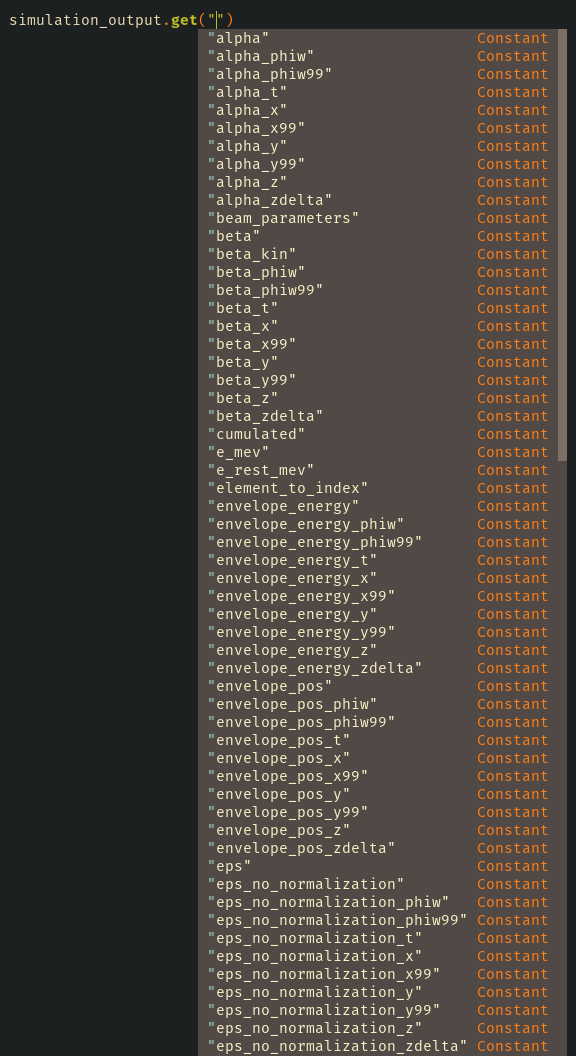
Tip
The first argument of the get method uses the standard Python *args syntax.
This means you can request multiple keys at once:
energy, phase = simulation_output.get("w_kin", "phi_abs")
which is equivalent to:
energy = simulation_output.get("w_kin")
phase = simulation_output.get("phi_abs")
You can also refer to the documentation of each specific get method:
Additional utility keyword arguments (**kwargs) are supported by some get methods.
Here are a few commonly used ones:
Keyword |
Purpose |
Notes |
|---|---|---|
|
Access data for a specific |
|
|
Select data from a particular phase space |
|
|
Retrieve data only at element entry or exit |
Requires |
|
Convert phase values (keys containing |
Defaults to |
|
Convert the result to a NumPy array |
Defaults to |
Warning
Use caution with the to_deg keyword.
It may incorrectly convert keys such as beta_phiw, where phiw refers to a phase space name, not an angular quantity.
To avoid this, use the phase_space_name keyword instead.
If the requested key is not found, the method does not raise an error – it simply returns an empty array.
Some examples are provided at the end of the example notebook.